UI / UX Design
Foodata
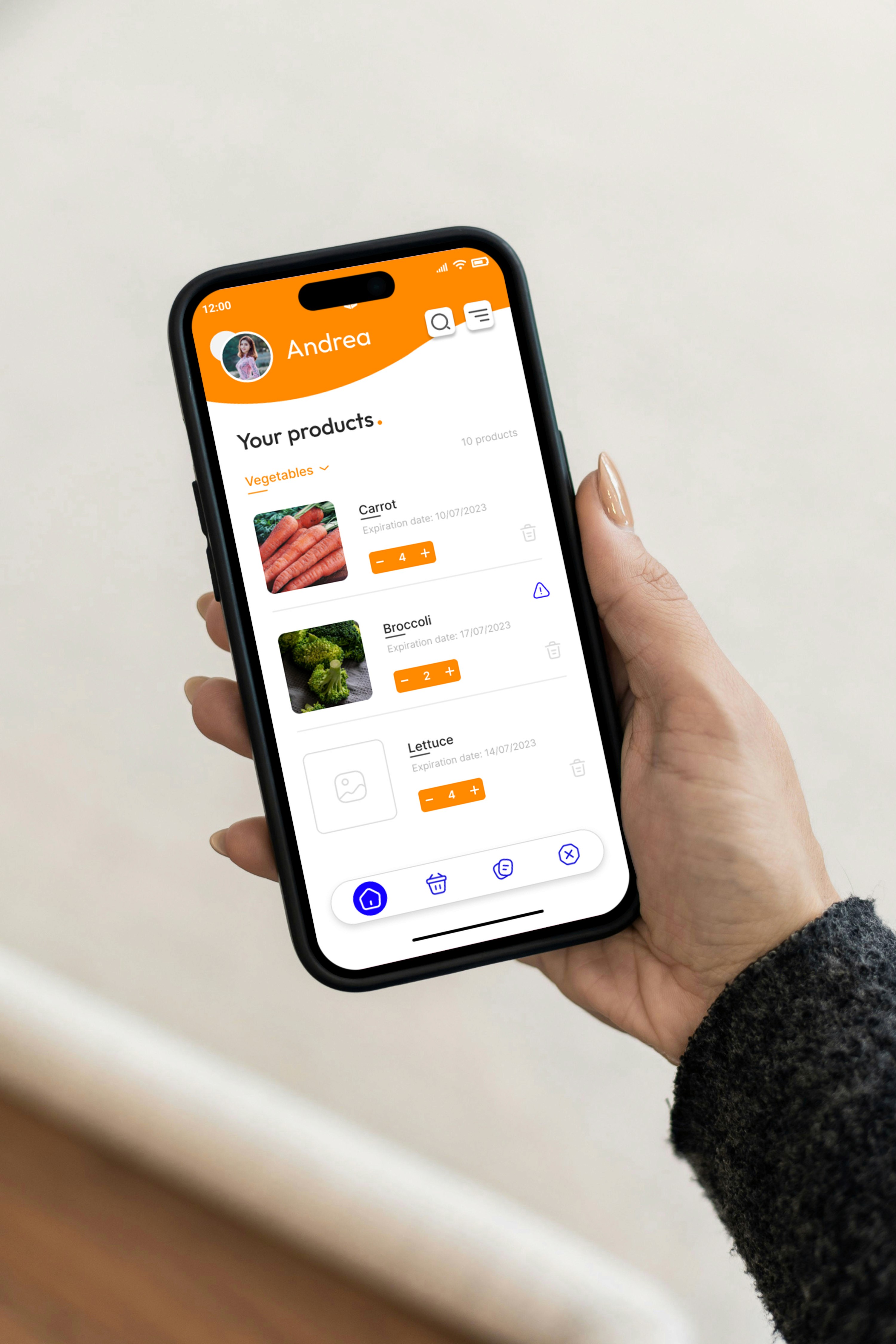
Foodata is a conceptual mobile application designed to help families manage their pantry and refrigerator inventory through smart reminders, expiration tracking, and automated shopping lists.
Role:
Product Designer
Industry:
Food industry
Project Duration:
8 weeks
Year:
2024
Designing an Intelligent Household Inventory System to Reduce Food Waste and Mental Load
The Problem
The goal of this project was to reduce cognitive overload in household management while minimizing food waste through intelligent inventory awareness.
In most households, especially in family environments:
People forget what they already have.
Products expire unnoticed.
Items are repurchased unnecessarily.
Grocery trips are inefficient.
Mental load disproportionately affects one person (often the primary household organizer).
Household inventory management relies on:
Memory.
Paper notes.
WhatsApp messages.
Last-minute realization in the supermarket.
This creates waste, inefficiency, and stress. The opportunity: Transform food management from reactive to proactive.
Vision
Foodata reimagines the kitchen as a semi-intelligent ecosystem.
The platform:
Tracks pantry and fridge inventory.
Monitors expiration timelines.
Generates contextual reminders.
Suggests replenishment before shortages occur.
Centralizes household food awareness.
In a future-state vision, the system could integrate with smart refrigerators or other devices. But the foundation begins with a well-structured manual inventory system enhanced by smart logic.
Understanding the User
Primary users:
Family organizers.
Busy parents.
Household managers.
Individuals seeking structured grocery planning.
Key insights:
Grocery planning creates invisible cognitive burden.
Expired food generates guilt.
Remembering quantities is mentally exhausting.
Users want clarity before leaving home to shop.
One critical insight: The product must reduce thinking — not add more tasks.
Design Strategy
The system was built around three pillars:
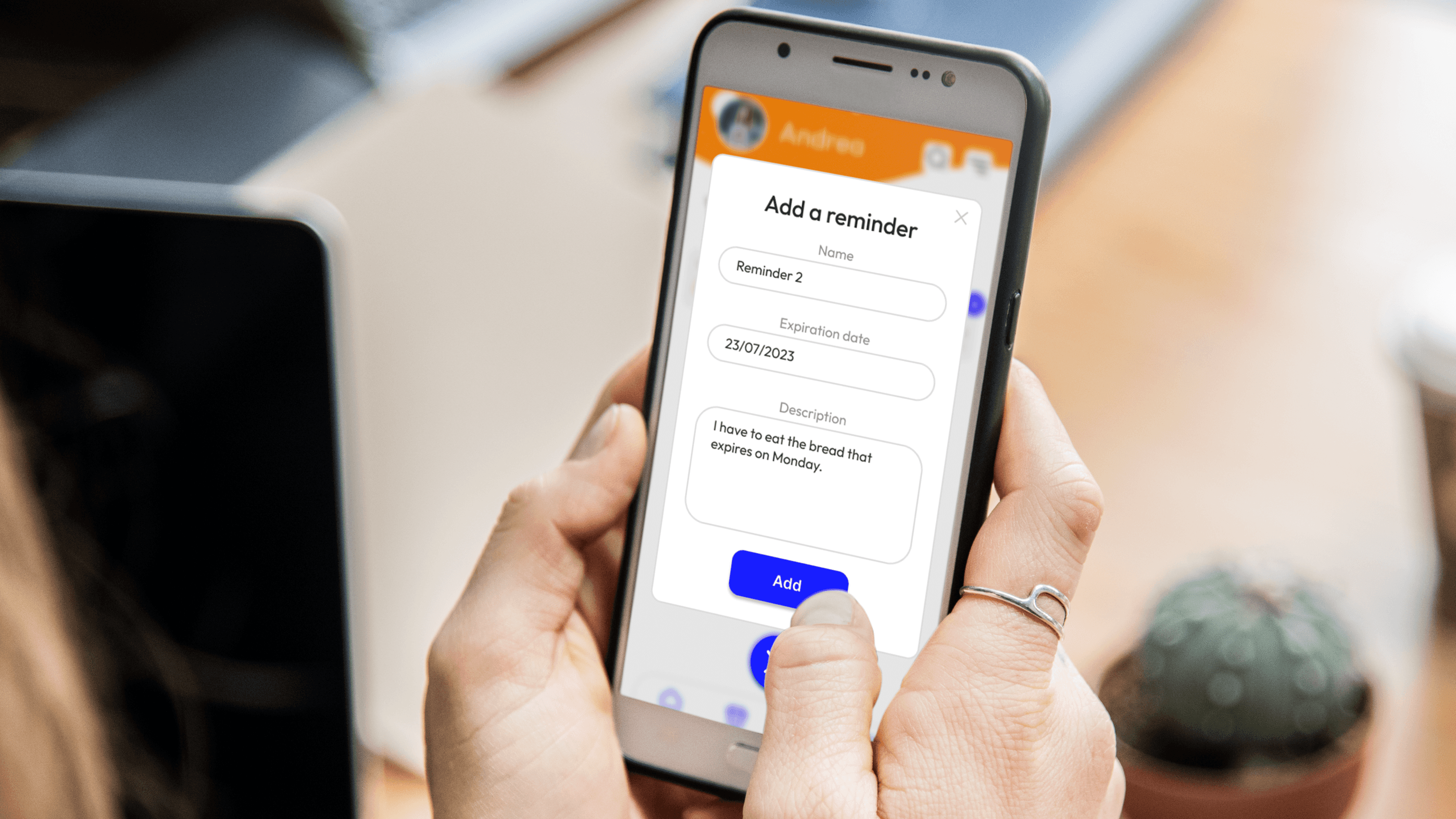
Intelligent Reminders
Users can configure:
Expiration alerts.
Quantity thresholds.
Custom reminder timing.
Recurring product cycles.
Example:
“Notify me when fewer than 10 eggs remain.”
“Alert me 3 days before milk expires.”
The app adapts to household rhythm instead of forcing static notifications.
Structured Inventory Management
Users can add products through:
Manual input.
Barcode scanning.
Photo attachment.
Categorization (Fridge, Pantry, Freezer).
Each item includes:
Quantity.
Expiration date.
Storage location.
Custom notes.
The interface prioritizes clarity and fast input.
Smart Shopping Companion
Before grocery trips, users can access:
Auto-generated shopping suggestions.
Expired items list.
Low-stock alerts.
Custom notes.
The goal is to eliminate “What did we need again?” moments in the supermarket. The app becomes a live household memory system.
Process
Household Workflow Analysis
I mapped common food management behaviors:
Grocery shopping.
Product storage.
Midweek consumption.
Expiration realization.
Waste disposal.
I identified friction at the transition points. Foodata addresses those moments directly.
Information Architecture
Core sections were defined as:
Dashboard
Inventory
Expiring Soon
Low Stock
Shopping List
Notes & Custom Reminders
This structure keeps cognitive navigation minimal.
Reminder Logic Modeling
The most complex design challenge was the reminder logic.
I developed:
Threshold-based alerts.
Time-based expiration warnings.
Dynamic list generation.
Editable automation settings.
The system balances automation with user control.
Wireframes
Low-fidelity prototypes focused on:
Quick item addition.
Clear expiration visualization.
Prominent alert indicators.
Minimal visual clutter.
I removed unnecessary decorative elements early. Clarity is critical in inventory-based products.
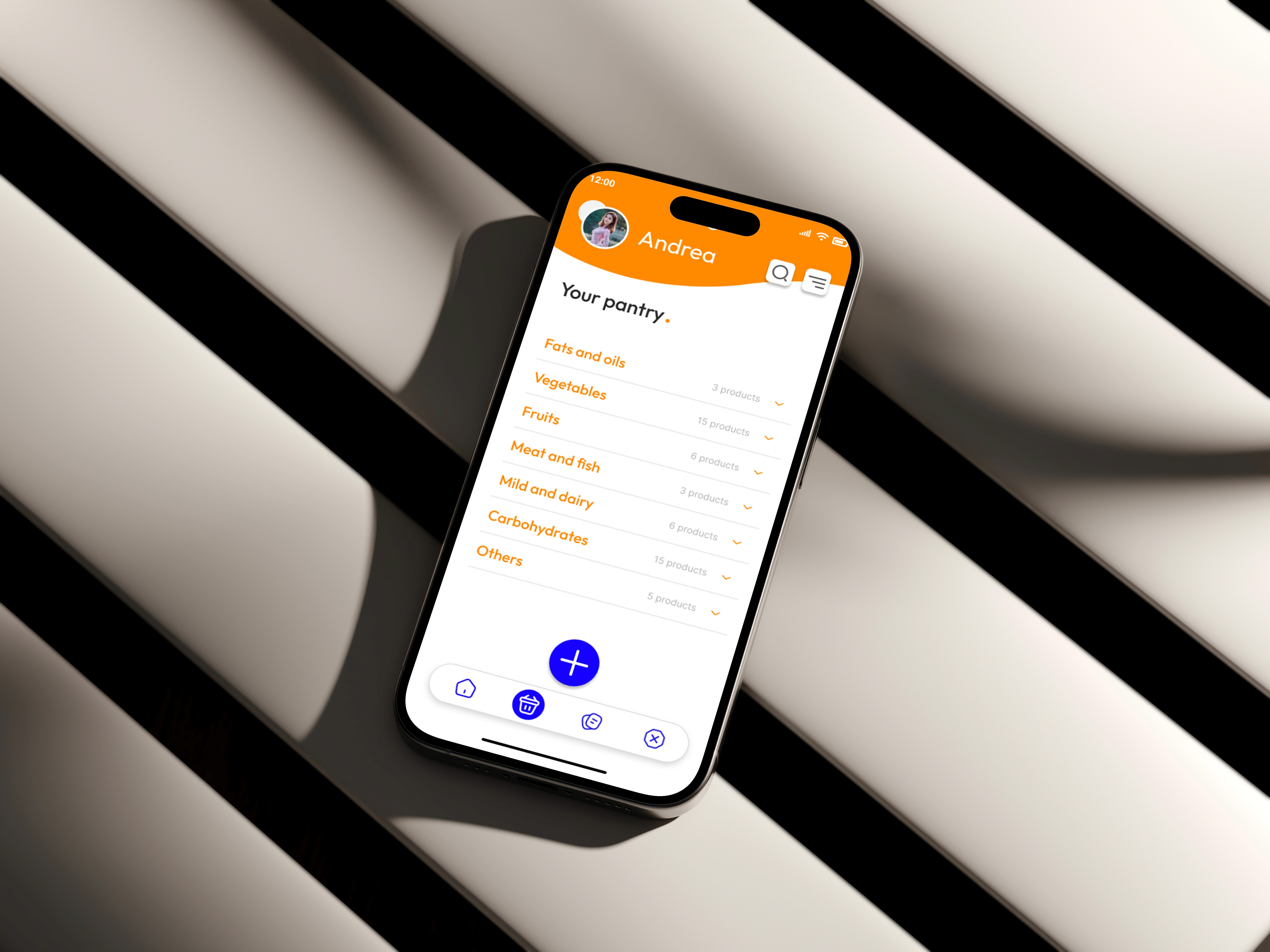
Dashboard Experience
The home screen displays:
Items expiring soon.
Low-stock alerts.
Quick-add button.
Upcoming reminders.
Suggested shopping list preview.
The layout is structured and calm. Household management should feel organized — not chaotic.
Inventory Visualization
Items are categorized visually and sorted by:
Expiration proximity.
Quantity level.
Storage location.
Visual indicators (e.g., color-coded urgency) provide instant understanding. Users should know their kitchen status in seconds.
Smart Shopping Flow
When entering shopping mode:
The app prioritizes low-stock items.
Expired products are flagged.
Manual additions remain editable.
Categories help streamline store navigation.
The system reduces inefficiency during real-world context.
Design Experience
Visual Design
The UI is:
Clean and structured.
Friendly but not childish.
Functional without excess gamification.
Organized with strong hierarchy.
Soft neutrals with alert-based accent colors guide attention. The visual tone communicates reliability.
Design System
To ensure scalability:
Defined spacing tokens.
Clear urgency color scale (Normal / Low / Critical).
Modular inventory cards.
Consistent form fields.
Reminder badge components.
This allows future integration with:
Other devices refrigerators.
Voice assistants.
Smart barcode auto-detection.
Multi-user household accounts.
Ethical & Behavioral Considerations
Since the app influences household behavior:
Reminders must not feel intrusive.
Notifications should be adjustable.
Data entry friction must remain low.
Automation must remain transparent.
The system supports decision-making — it does not control it.
Potential Impact
If implemented fully, Foodata could:
Reduce food waste.
Lower unnecessary grocery spending.
Decrease cognitive load for household organizers.
Improve family food planning efficiency.
It transforms domestic management into structured awareness.
Key Learnings
Domestic products must prioritize simplicity.
Automation should feel supportive, not overwhelming.
Reminder systems require flexibility.
Reducing mental load is a powerful product value.
If iterated further, I would:
Introduce predictive consumption models.
Add recipe suggestions based on expiring items.
Implement shared household accounts.
Test IoT integration feasibility.