UI / UX Design
PulseUp
PulseUp is a fitness support platform designed to help users stay consistent through structured daily challenges, guided workouts, and real-time progress tracking.
Role:
Lead UX/UI Designer
Industry:
Fitness
Project Duration:
6 Weeks
Year:
2026
Designing a Habit-Driven Fitness Companion That Keeps Users Accountable
Most fitness apps fail not because of lack of features — but because of lack of engagement.
Users often:
Download the app.
Try a workout.
Lose motivation within days.
Stop tracking progress.
Abandon the platform.
Through initial discovery, I identified three core issues common in fitness apps:
Overcomplicated interfaces during workouts.
Weak progress visualization.
Lack of emotional reinforcement and habit-building mechanisms.
The challenge was to design an app that feels like a digital coach — not just a content library.
Understanding the User
Primary users:
Young professionals with limited time.
Beginners needing guidance.
Intermediate users seeking structure.
Users exercising from home.
Key behavioral insights:
Users need structure to stay consistent.
Visual progress increases motivation.
Simplicity during workouts is critical.
Real-time feedback improves perceived performance.
One crucial insight: During a workout, cognitive capacity drops. The interface must require almost zero thinking.
Design Strategy
My strategy focused on three pillars:
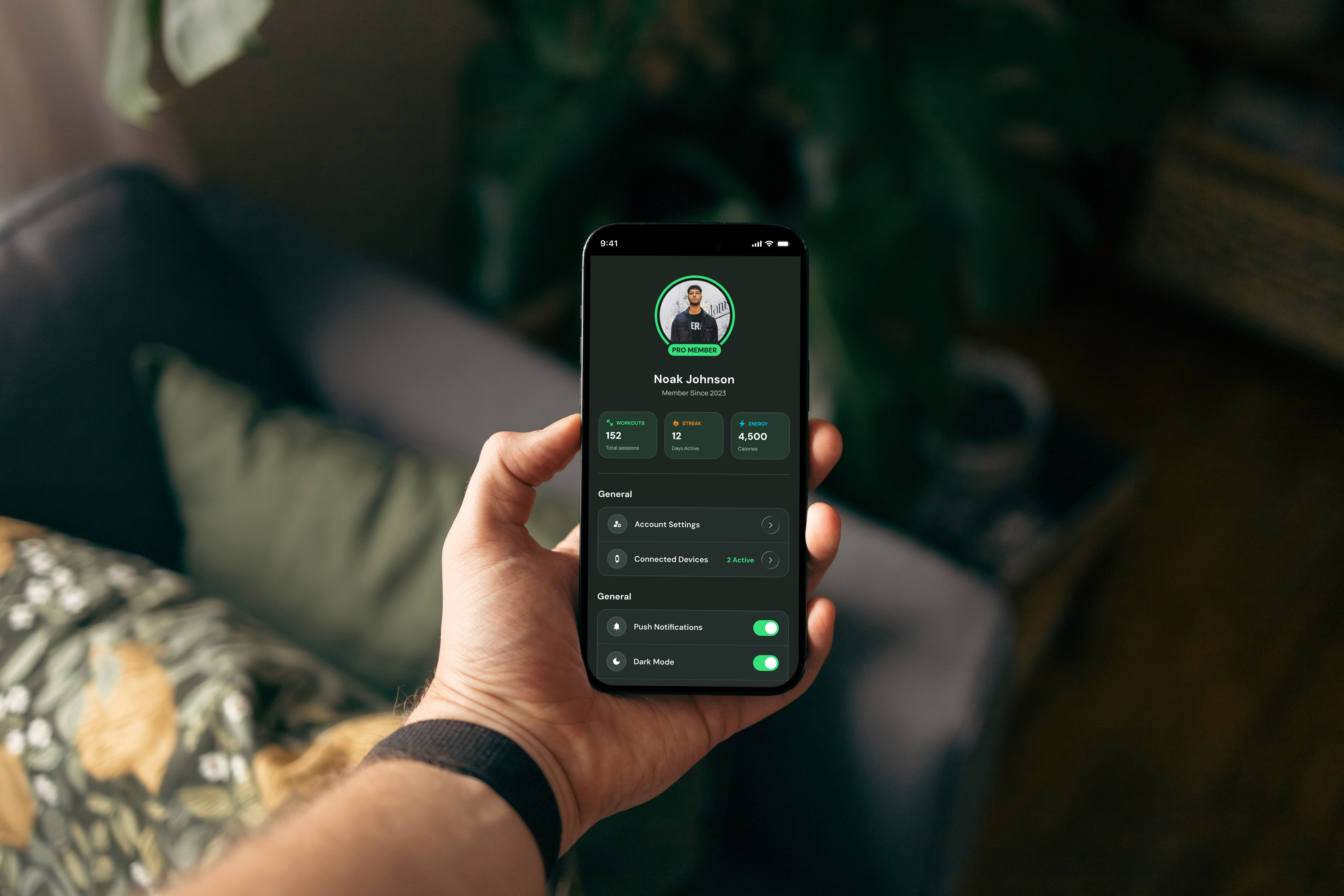
Support Habit Formation
I implemented:
Daily challenges.
Clear streak tracking.
Visible progress indicators.
Achievement-based reinforcement.
The app encourages users to “show up” daily — consistency over intensity.
Reduce Cognitive Load During Workouts
Workout screens were designed to:
Show only essential information.
Display large timers.
Use strong contrast for visibility.
Minimize interaction points.
When someone is sweating and breathing heavily, the UI must be effortless.
Visualize Progress Clearly
I prioritized:
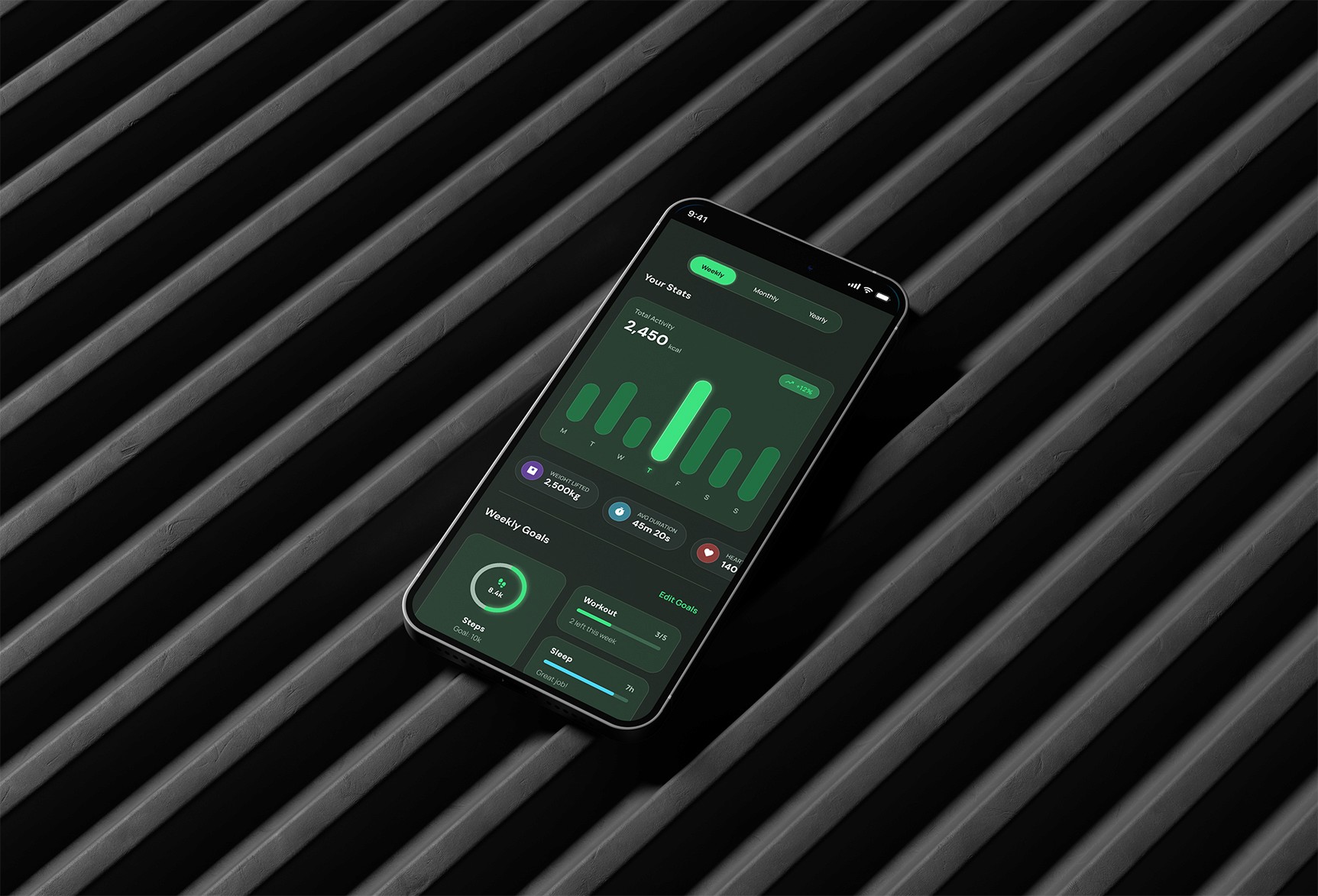
Clean performance dashboards.
Weekly summaries.
Stats comparison.
Progress graphs.
Users need to see improvement to stay motivated.
Process
Competitive Analysis
I analyzed leading fitness apps and identified recurring issues:
Too many screens during workouts.
Cluttered dashboards.
Overly gamified interfaces that feel distracting.
Confusing navigation between workout modes.
PulseUp needed to feel structured and energetic — but focused.
User Journey Mapping
I mapped the full experience:
App open
Daily challenge view
Workout preparation
Active session
Completion summary
Progress reflection
This allowed me to identify friction points and emotional highs/lows.
Wireframes
Low-fidelity wireframes focused on:
Workout flow clarity.
Timer prominence.
Video placement hierarchy.
Minimal interaction during sessions.
I removed non-essential elements early. The goal was functional clarity first — aesthetics second.
High-Fidelity Design
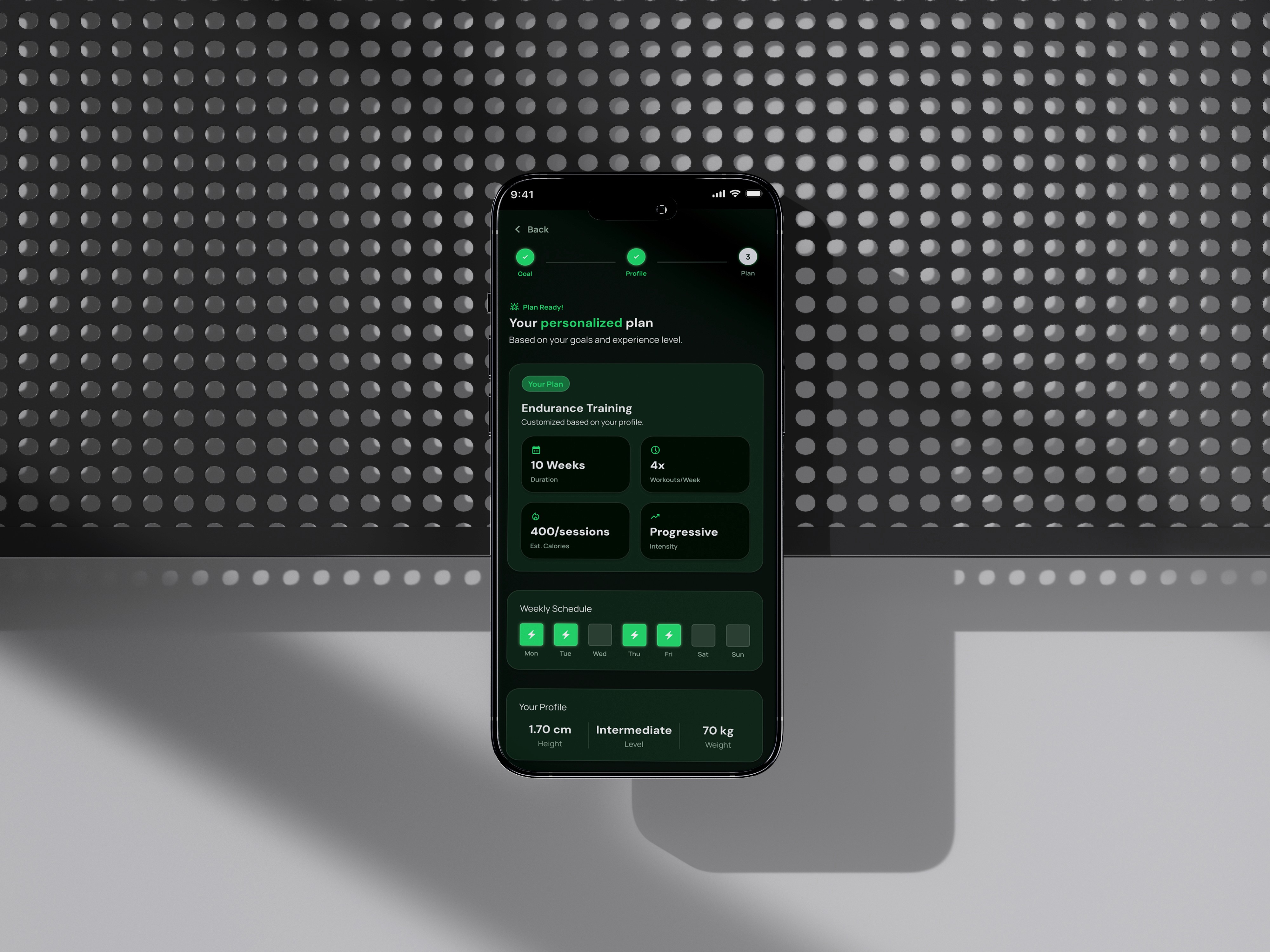
The final UI design emphasized:
Bold, energetic accent colors.
High-contrast timer displays.
Clear typography for quick readability.
Structured card-based dashboards.
Visual language balances: Energy + Precision. Primary actions are unmistakable. Secondary elements never compete during active sessions.
Workout Experience
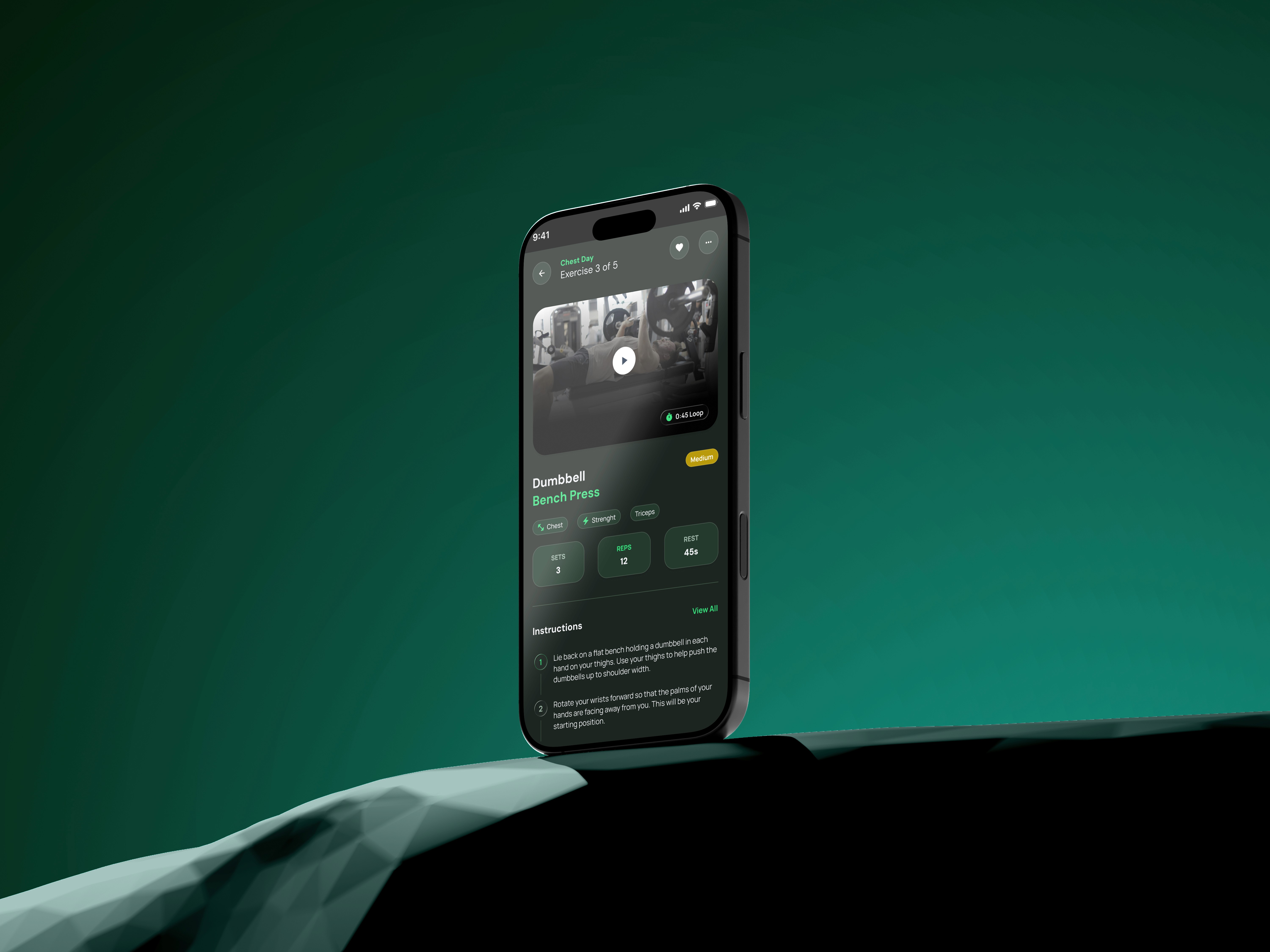
The workout screen was designed around 3 core components:
Timer (dominant visual element)
Exercise name & instructions
Optional guided video preview
Interaction is minimal: Pause, skip and complete. No complex gestures, no hidden menus.The experience feels like a coach counting reps beside you.
Progress & Motivation
After completion, users see:
Performance stats
Calories burned
Time spent
Streak continuation
Challenge completion badge
I used visual reinforcement to increase dopamine-based motivation. The app celebrates consistency — not perfection.
Design Experience
Responsive Design
Mobile-first was essential.
Design priorities:
Thumb-accessible controls.
Clear legibility outdoors or under sweat conditions.
Simple tap interactions.
Fast transitions between workout states.
Desktop version focuses on:
Stats overview.
Program planning.
Progress tracking.
Design System
To ensure scalability, I developed:
A performance-based color system.
Defined typography scale.
Status indicators (Active / Rest / Complete).
Achievement badge components.
Graph visualization standards.
This system allows for future feature expansion like:
Community leaderboards.
Personalized programs.
AI recommendations.
Results & Impact
The redesigned Pulse Up experience achieved:
Clearer workout flows.
Reduced interaction friction.
Stronger progress visualization.
Improved motivational reinforcement.
The platform now feels like a structured training companion — not just a video repository.
Key Learnings
Simplicity during action is critical.
Motivation must be visual and measurable.
Fitness products require emotional reinforcement.
Clear progress builds long-term engagement.
If iterated further, I would:
A/B test gamification intensity.
Introduce adaptive challenge levels.
Incorporate community accountability features.