Web Design
Seqora
Seqora is an AI-powered outbound sales platform that helps B2B teams create and launch automated outreach sequences with speed and personalization.
Role:
UI Designer
Industry:
Marketing (Saas)
Project Duration:
2 weeks
Year:
2026
Designing an AI-Assisted Sequence Builder for High-Velocity Sales Teams
The Context
This project originated from a product design challenge focused on redesigning the Sequence Creation flow — from the moment a user clicks “New Sequence” to launch. The primary user I designed for was a Sales Development Representative (SDR).
SDRs:
Work in fast-paced startup environments.
Manage high lead volume.
Build sequences frequently.
Want to reduce manual writing effort.
Cannot afford errors at scale.
Building a sequence requires multiple decisions:
Define a goal.
Select recipients.
Write outreach steps.
Configure automation settings.
Review and validate before launch.
That complexity creates friction.
The Core Question
My guiding HMW was: How might we help sales reps create and launch a high-quality outreach sequence with clarity and confidence, without feeling overwhelmed by complexity?
UX Audit & Key Insights
During the audit, I focused on friction points across the flow. The biggest insights were:
Cognitive Overload
Too many decisions presented at once increases hesitation and drop-off.
Copywriting Is the Biggest Bottleneck
Writing email steps consumes the most time and mental energy.
Recipient Selection Is High Impact
Choosing the wrong audience ruins campaign performance.
Launching Without Review Increases Risk
Sales teams need confidence before sending messages at scale. The flow needed more structure, guidance, and clarity.
High-Level Strategy
The redesign was built on four pillars:
Reduce cognitive load.
Position AI as a collaborative assistant.
Separate high-impact decisions.
Reinforce confidence before launch.
Solution Walkthrough
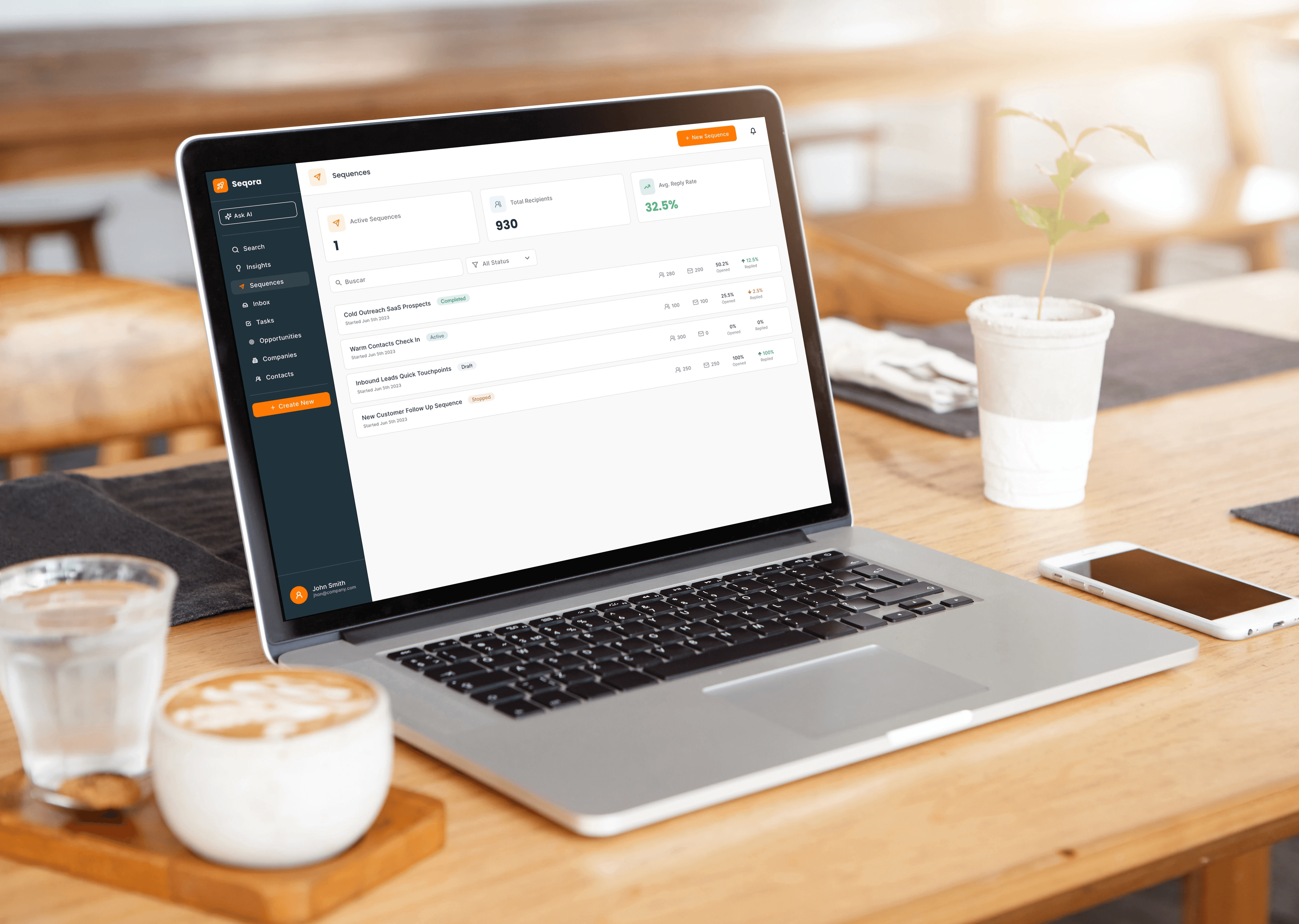
Screen 1: Dashboard
The dashboard serves two core goals:
Quick performance visibility.
Immediate access to creating a new sequence.
I prioritized:
KPI cards for fast scanning.
A clean, structured sequence list.
A clear primary CTA: New Sequence.
The user should understand performance in seconds and start new outreach instantly.
Screen 2: Basics
This step defines the foundation:
Sequence name.
Sequence goal.
Core sequence settings.
Starting with clarity improves downstream messaging quality. I included a lightweight AI assistant panel to help users define a strong sequence goal quickly — especially useful for founders or less experienced SDRs. Early clarity reduces later friction.
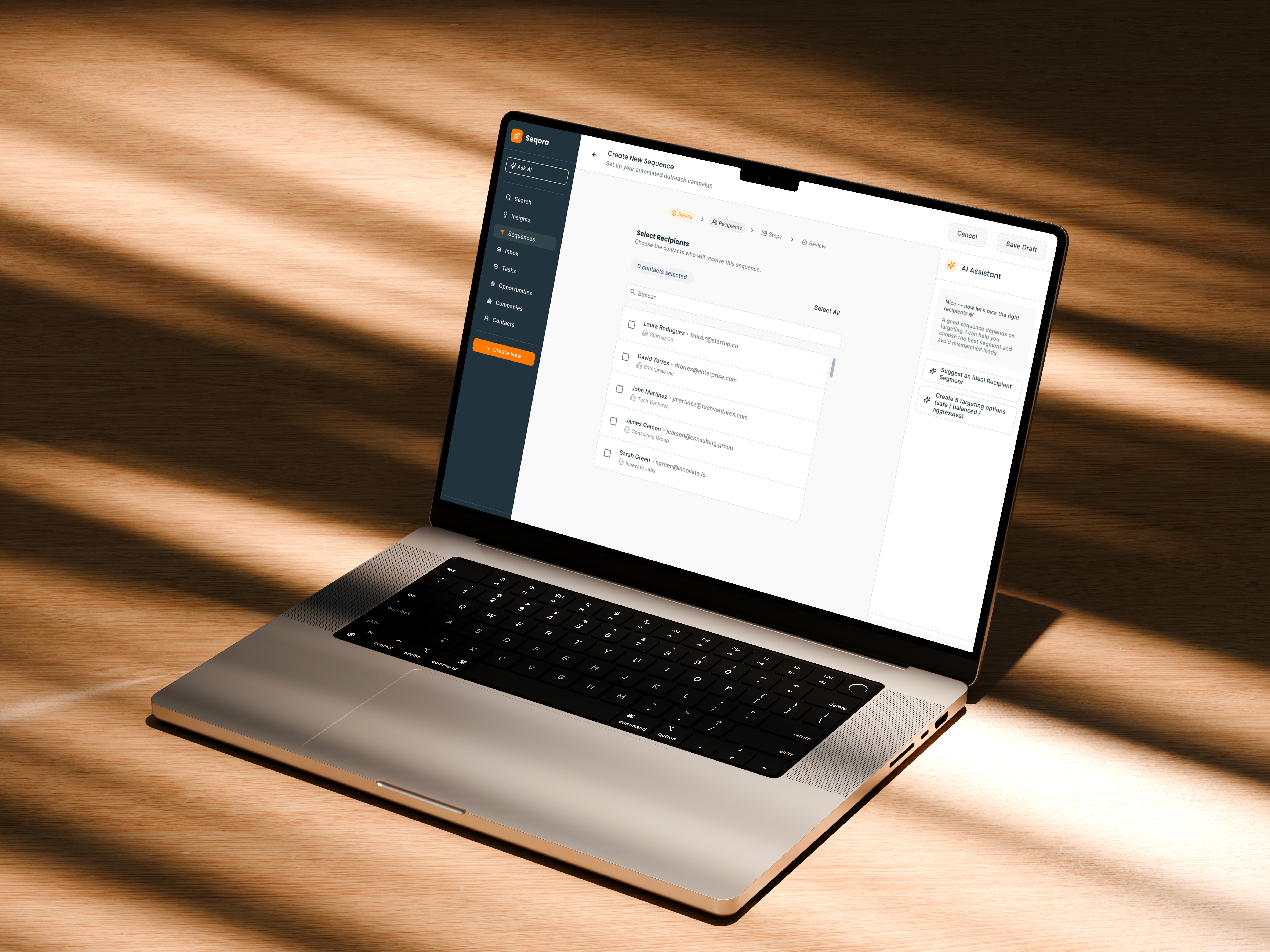
Screen 3: Recipients
Recipient selection was isolated into its own dedicated screen. Why? Because it’s a high-impact decision.
The UI supports:
Search functionality.
Checkbox selection.
Clear contact count.
Structured list layout.
Separating this step reduces distraction and prevents targeting mistakes. Focus improves precision.
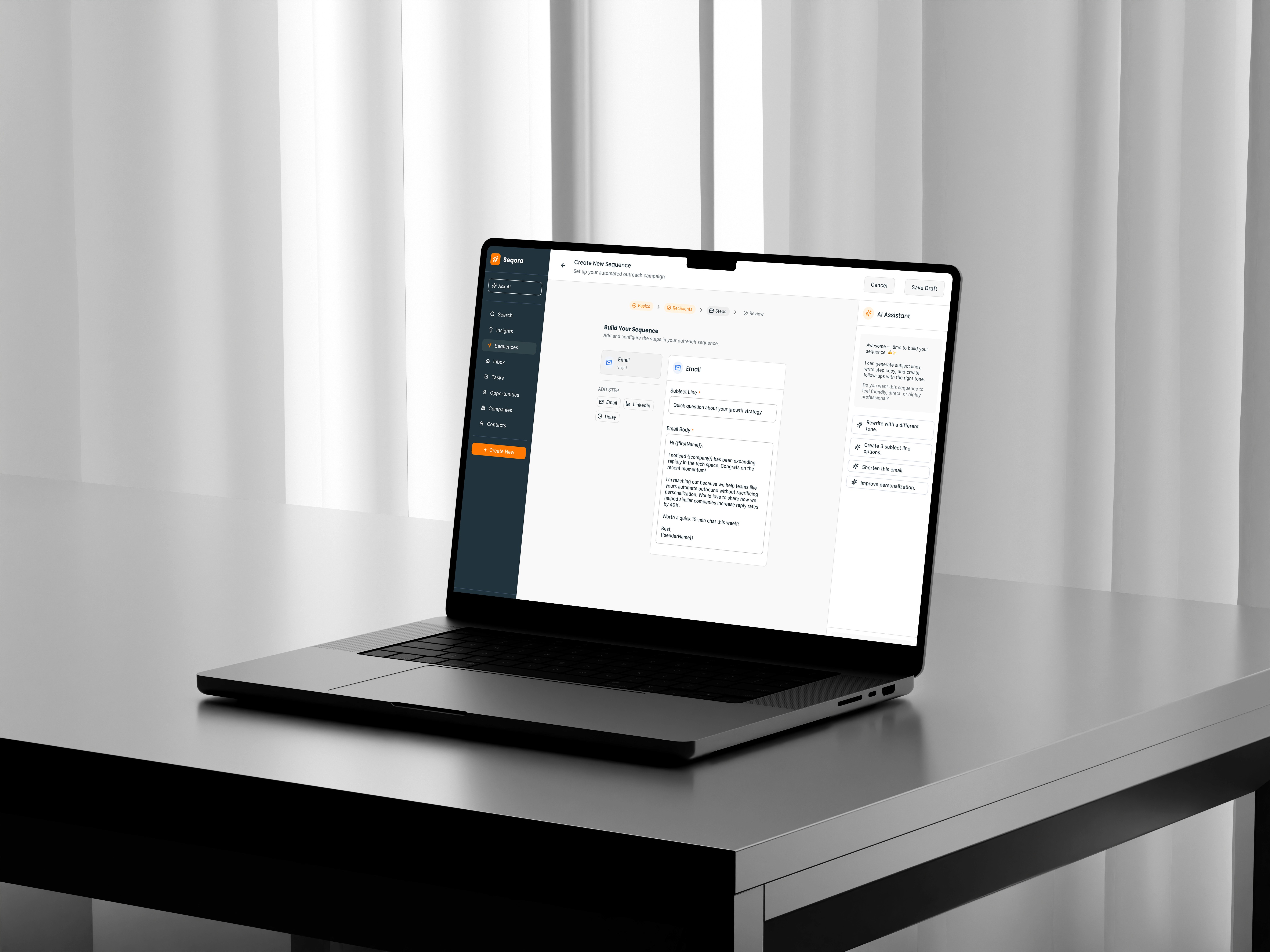
Screen 4: Steps (The Core Experience)
This is the heart of the product.
Users can:
Add Email steps.
Add LinkedIn steps.
Insert delays.
Edit subject lines and body copy.
Use personalization variables.
The AI assistant remains visible here because writing is the biggest friction point.
Users can:
Generate a full sequence.
Write a single intro email.
Improve existing copy.
Add follow-ups.
Generate A/B versions.
My goal was to reduce writing time without sacrificing message quality. AI is positioned as a creative partner — not a replacement. Users always retain control.
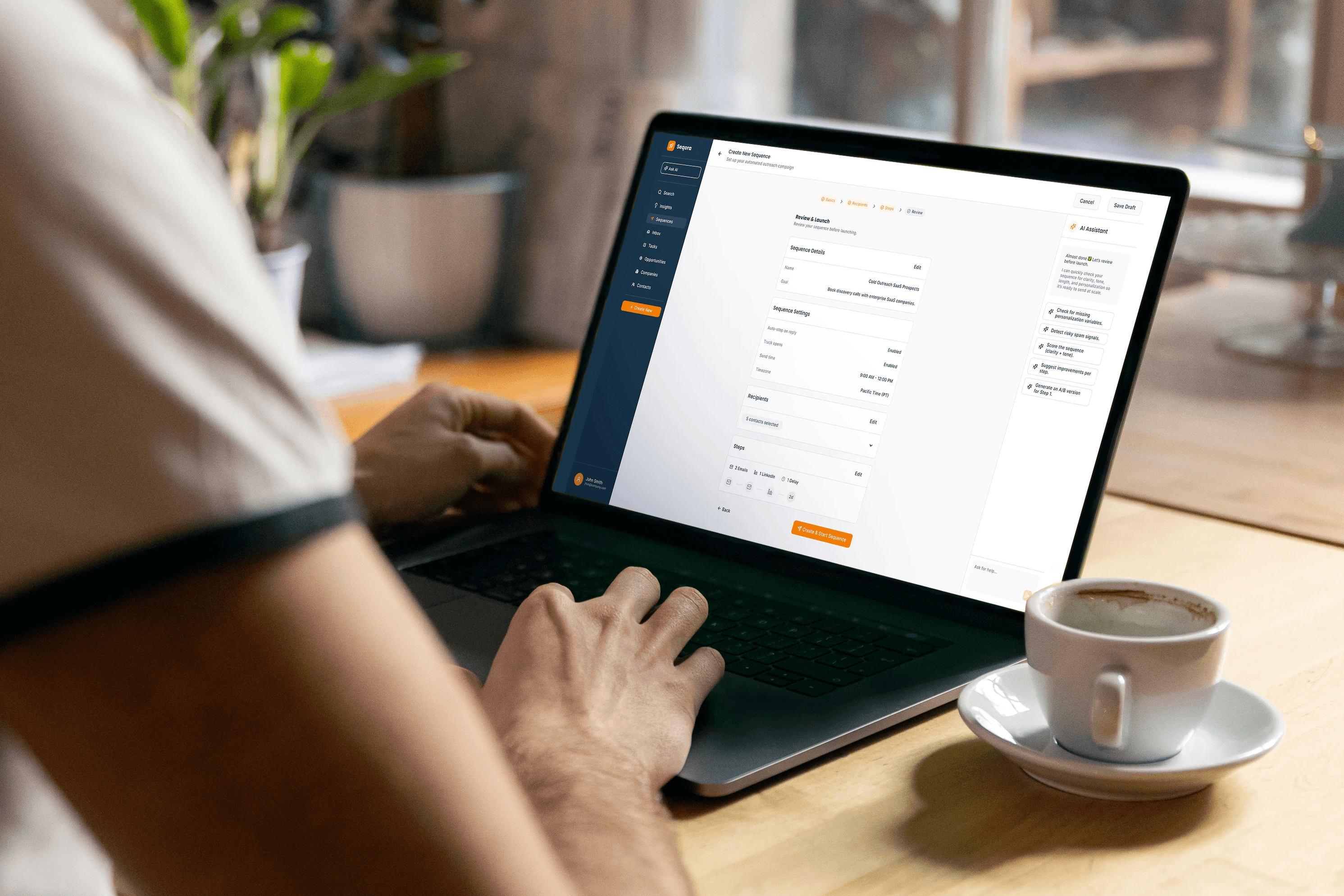
Screen 5: Review & Launch
Before launching, users see:
Sequence details.
Automation settings.
Recipient selection summary.
Step structure overview.
This acts as a quality checkpoint. Especially when sending at scale, confidence is critical. The review step reduces risk perception and prevents accidental mistakes.
Key Design Decision
One of the most important decisions was choosing a wizard-based structure instead of a single-page builder.
Tradeoff:
Wizard flow → More guidance, lower cognitive load.
Single-page builder → Faster for experienced users.
I intentionally optimized for clarity and completion, especially for first-time or occasional users. However, in a future iteration, I would explore: A hybrid approach: Guided mode for onboarding + Quick builder mode for power users. This would balance structure and speed.
AI Collaboration Model
Rather than auto-generating everything without transparency, AI functions as:
A writing assistant.
A segmentation advisor.
A clarity checker.
A suggestion engine.
This reduces friction while preserving user agency. AI enhances — it does not override.
Impact
The redesigned flow:
Reduces decision fatigue.
Decreases writing time.
Improves targeting precision.
Builds launch confidence.
Clarifies AI’s role in the workflow.
The experience shifts from “complex automation tool” to “guided sequence workshop.”
What I’d Explore Next
Time-to-launch measurement.
AI adoption rate per step.
Error rate before launch.
Power-user quick builder mode.
AI confidence scoring for messages.
My goal was to make sequence creation feel:
Structured.
Fast.
Safe.
AI-assisted.
Human-controlled.
The redesign prioritizes clarity and confidence — two qualities essential for outbound sales at scale.