Web Design
LegalGuide
LegalGuide is a responsive landing platform designed for a modern law firm, focused on building trust, showcasing legal expertise, and driving consultation bookings.
Role:
UI Designer
Industry:
Lawfirm
Project Duration:
5 weeks
Year:
2024
Designing a Trust-Driven Responsive Landing for a Modern Law Firm
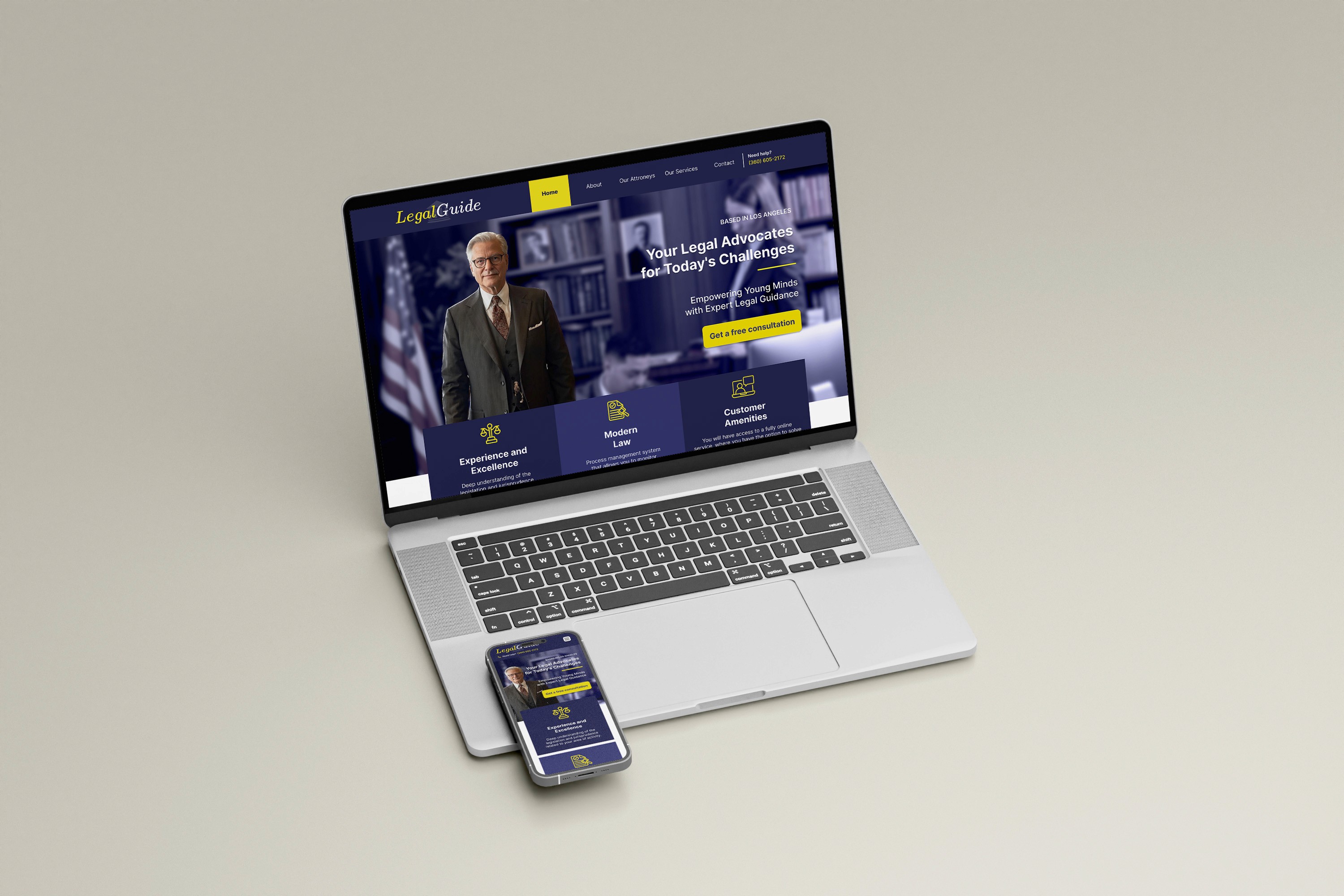
LegalGuide is a responsive landing page designed for a law firm based in Los Angeles. The website presents core services, attorney profiles, testimonials, and contact access in a clear, structured, and conversion-oriented experience optimized for both desktop and mobile devices.
The objective was to create a clear, professional, and conversion-oriented digital presence that:
Presents legal services clearly
Builds credibility and trust
Highlights the legal team
Encourages users to book a free consultation
The project included:
Desktop design
Mobile responsive adaptation
Structured service presentation
Testimonials and credibility indicators
Conversion-focused contact form
The Core Challenge
Law firm websites often struggle with:
Looking outdated
Overloading users with dense legal text
Lacking clear calls-to-action
Failing to build emotional trust
The challenge was: How might we design a modern, trustworthy, and conversion-focused legal landing page without overwhelming users with legal complexity?
Design Strategy
Although the project started as a straightforward landing page, I structured it around three strategic pillars:
Authority
The site needed to communicate credibility immediately.
Clarity
Legal services can be complex — the structure had to simplify them.
Conversion
The main business goal was free consultation bookings.
Visual Identity Strategy
Color System
Primary colors:
Royal Blue
Yellow (accent)
Why Blue?
According to color psychology, blue communicates:
Trust
Stability
Professionalism
Security
This makes it one of the most common and effective colors in legal and financial industries.
Why Yellow?
Yellow was used as:
CTA accent
Highlight element
Icon color
Yellow adds:
Visibility
Energy
Action
But it was used sparingly to avoid visual noise. The contrast between blue and yellow creates:
Strong hierarchy
Immediate focus on action buttons

UX Structure & Flow
The page follows a strategic top-down trust-building flow:
Hero Section – Immediate Authority
Elements included:
Professional portrait
Clear value proposition
Location mention
Strong CTA: “Get a free consultation”
The hero establishes:
Expertise
Confidence
Direct action
Value Proposition Cards
Three quick credibility pillars:
Experience and Excellence
Modern Law
Customer Amenities
Why cards? Because scanning behavior dominates web reading.
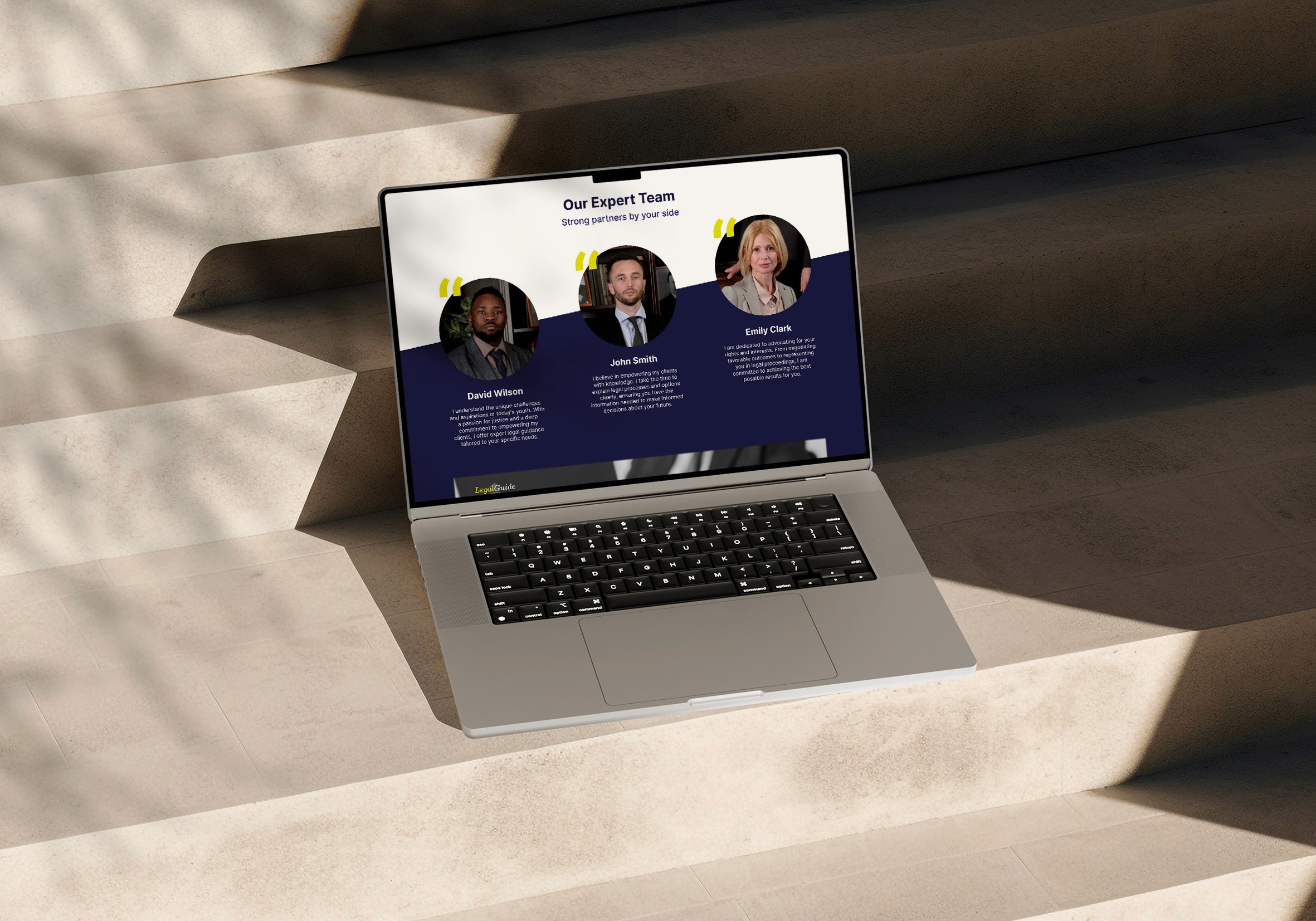
Team Section – Humanizing Authority
Legal services are high-trust decisions.
Showing:
Real portraits
Names
Short bios
Moves the experience from corporate to human.
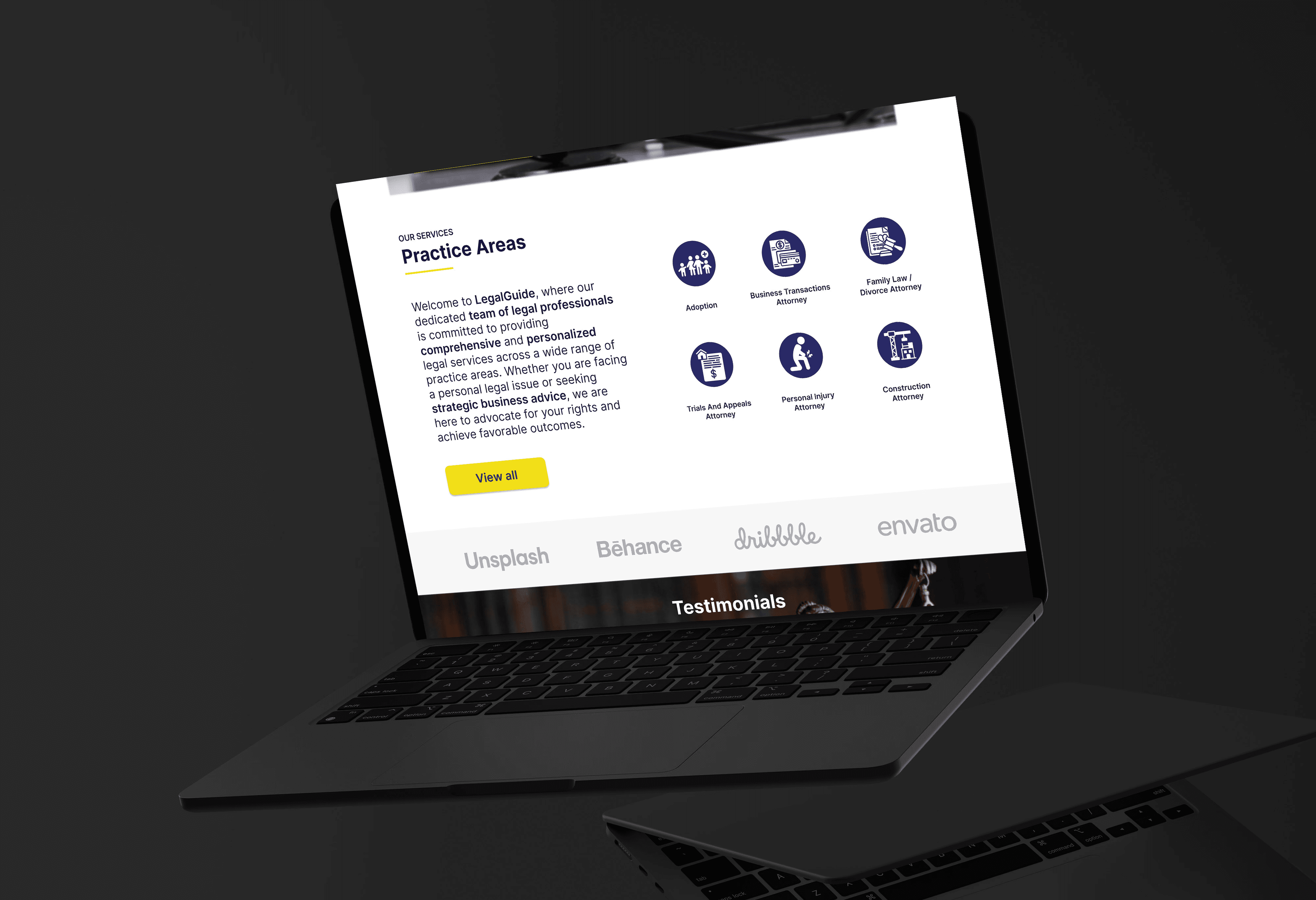
Services Section – Clarity Over Complexity
Services were presented:
With icons
In grid format
With short descriptions
This reduces cognitive load by:
Chunking information
Using visual grouping
Avoiding long paragraphs
Testimonials – Social Proof Layer
Strategic elements included:
Number of clients (1000+)
Success rate (97%)
Star ratings
Real client image
This is essential in legal websites because: Trust is not claimed — it is demonstrated.
Conversion Section – Clear and Frictionless
The form design:
Minimal fields
Clear labels
Single primary CTA
High contrast button
The goal: Reduce friction → Increase consultations.
Responsive Design Decisions
For mobile:
Vertical stacking
Larger tap areas
Simplified layout
Clear CTA visibility above the fold
Design principle: Mobile-first clarity. Critical content always visible without complex navigation.
Layout & Hierarchy
The layout uses:
Strong section contrast (dark/light alternation)
Clear content blocks
Generous spacing
Structured grid alignment
Spacing and grouping follow practical UI hierarchy rules.
Design Trade-offs
Corporate vs Modern
Too corporate → looks outdated.
Too modern → reduces perceived authority.
Solution: Clean typography + structured layout + professional imagery.
Informative vs Overwhelming
Legal sites can drown users in text.
Solution: Summarize services → invite contact for details.
Strong Branding vs Accessibility
Blue + yellow contrast was carefully balanced to:
Maintain accessibility
Preserve visual hierarchy
Avoid eye strain